
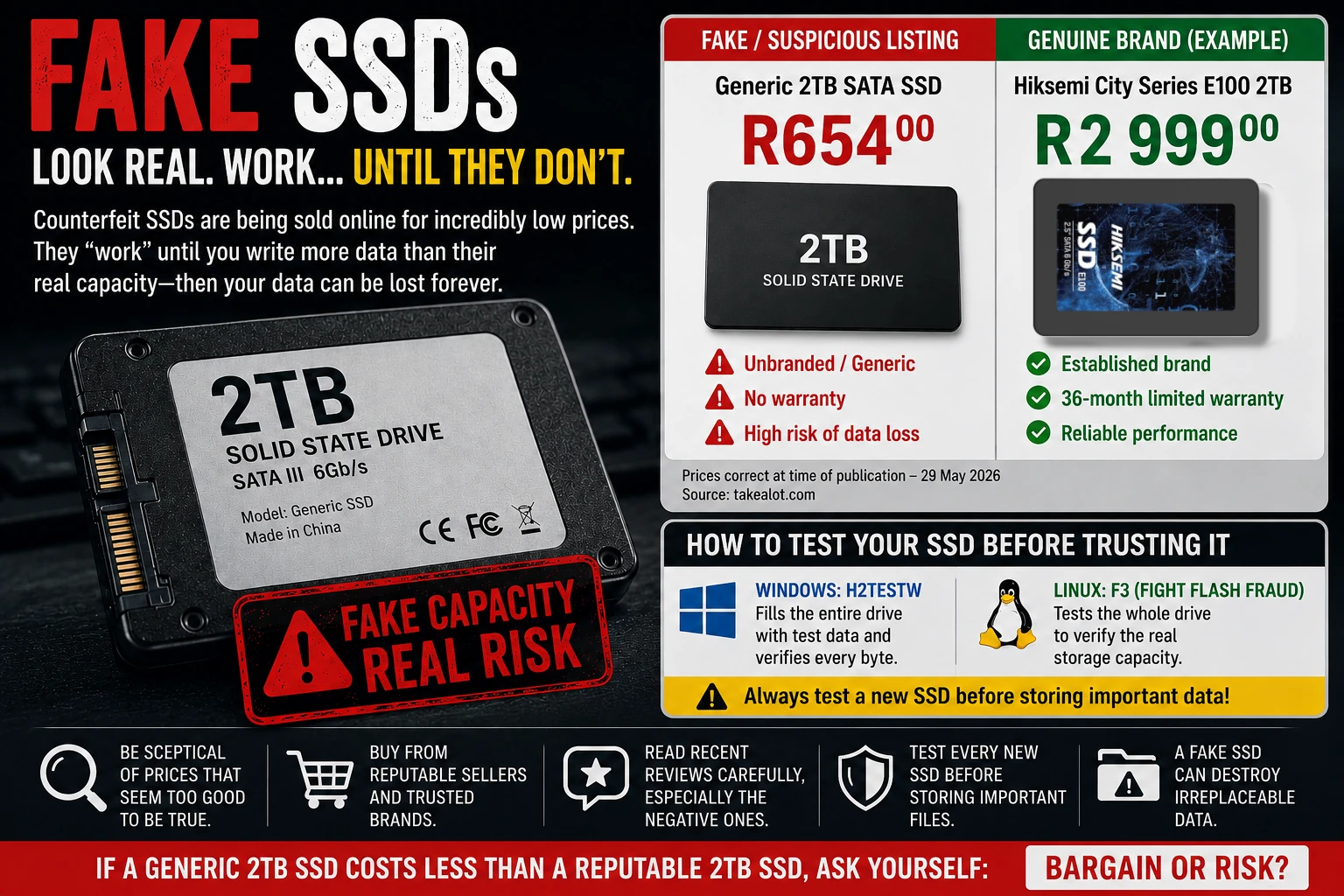
The cost of genuine SSD storage has been rising sharply in recent months, leaving many South Africans looking for more affordable ways to upgrade their PCs and expand their storage.
That makes listings advertising 1TB, 2TB or even 4TB SSDs at unbelievably low prices tempting.
Unfortunately, some of these "too good to be true" deals may be exactly that.
Counterfeit and fake-capacity SSDs are a problem on online marketplaces around the world, and South African shoppers are not immune. Online marketplaces provide access to thousands of legitimate products, but third-party sellers can also list questionable, counterfeit or fraudulently advertised storage devices alongside genuine products.
One example is a generic 2TB SATA SSD listed for approximately R654 on Takealot. At first glance, getting 2TB of solid-state storage for that price looks like an incredible bargain.
Compare it with a more conventional genuine product: the Hiksemi City Series E100 2TB 2.5-inch SATA III SSD, which is listed at approximately R2,999.
The difference is substantial.
The R654 drive costs roughly 78% less than the R2,999 Hiksemi, a price difference that should make any buyer stop and ask some questions.
A price difference alone does not prove that a particular product is counterfeit. Retail promotions, different specifications, warranties, sellers and other factors can all affect pricing.
However, when an unbranded SSD claims to offer the same 2TB capacity for a fraction of the price of a genuine product from an established manufacturer, buyers should exercise considerable caution.
Why These Bargains Are So Tempting
The timing couldn't be better for counterfeiters.
After a prolonged period of oversupply, NAND flash manufacturers have reduced production in an effort to restore profitability. At the same time, demand for flash storage has increased significantly, driven by AI infrastructure, enterprise storage and expanding data-centre operations.
The combination of reduced supply and increasing demand has pushed NAND flash prices considerably higher over recent months.
That has made genuine SSDs more expensive and, consequently, extremely cheap storage listings even more attractive to consumers.
When a genuine 2TB SSD costs thousands of rand, seeing an unbranded "2TB SSD" advertised for only a few hundred rand can look like the bargain of the year.
That's what makes these products so effective.
The Scam Isn't Always Obvious
The most dangerous thing about fake SSDs is that they often appear to work.
When connected to a computer, Windows may detect the drive as the advertised capacity, perhaps 1TB, 2TB or even 4TB.
You can format it, create folders and copy files to it. Everything appears normal until you exceed the drive's actual physical storage capacity.
Many fake-capacity SSDs contain only a fraction of the storage they claim to have. Some may contain only 64GB or 128GB of genuine flash memory, despite reporting 1TB, 2TB or more to the operating system.
The controller firmware has been modified to report a much larger capacity than the flash memory holds.
Windows trusts what the drive tells it. That's where the trouble begins.
What Happens When You Exceed the Real Capacity?
Once more data is written than the physical flash memory can hold, the drive may begin behaving unpredictably.
Depending on the firmware and controller used, you might experience:
- Files silently becoming corrupted.
- Older files being overwritten.
- Files appearing to copy successfully but later becoming unreadable.
- Large transfers suddenly failing.
- The SSD disconnecting from the computer.
- Windows reporting write errors.
- Folders or files mysteriously disappearing.
- The entire drive eventually becoming inaccessible.
The dangerous part is that the drive may appear healthy during everyday use.
A user might copy 20GB, 30GB or even 50GB of files without seeing a problem.
The failure only becomes apparent once you've written past the physical capacity.
By then, valuable photos, documents, work files or backups may already be damaged.
How the Fake-Capacity Scam Works
Counterfeit storage devices are produced in several ways.
A manufacturer may use low-capacity NAND flash memory while modifying the drive's firmware to report a much larger capacity.
Other cases reuse old or discarded flash memory.
Some very cheap "SSDs" contain hardware that barely resembles a modern SSD, with low-capacity flash storage connected to a controller or adapter and placed inside a conventional 2.5-inch SSD enclosure.
Externally, the device can look like a normal SATA SSD.
The operating system can also be fooled into reporting the advertised capacity. But the physical storage isn't there.
A Real-World Price Comparison
The price difference illustrates why buyers need to be cautious.
A generic 2TB SATA SSD can be found listed for around R654.
By comparison, the Hiksemi City Series E100 2TB 2.5-inch SATA III SSD is listed at approximately R2,999.
That's a difference of roughly R2,345 for what is supposedly the same 2TB capacity.
Again, the price difference itself does not prove that the cheaper drive is counterfeit.
But it does raise an important question:
How can an unbranded SSD offer 2TB of storage for a fraction of the price of an established manufacturer's genuine 2TB drive?
When the price is far lower than the rest of the market, buyers should investigate before purchasing rather than assuming they've discovered an incredible deal.
How to Test a New SSD
If you've purchased an unusually inexpensive SSD, don't trust it with important data.
Test it first.
For Windows users, H2testw is a popular free utility that can write test data across the available storage and then verify that the data can be read back correctly.
Linux users can use F3 (Fight Flash Fraud), a tool designed to detect fraudulent flash storage and determine whether a device provides the capacity it claims.
These tests can take a long time on large drives because they need to write and verify substantial amounts of data.
That delay is the point.
A quick format or a simple file-copy test isn't enough.
A fake 2TB drive can accept a few gigabytes of data without complaint. A full-capacity test shows what happens when you try to use the storage you paid for.
If the drive reports write failures, produces corrupted data or fails verification, stop using it.
Do not use a questionable SSD as a backup drive or store anything important on it.
If possible, initiate a return or refund through the retailer or marketplace.
How to Protect Yourself
Before buying an SSD online, keep the following tips in mind:
Be suspicious of extreme bargains
A low price doesn't mean a product is fake.
However, an unbranded 2TB SSD selling for a tiny fraction of the price of comparable products deserves additional scrutiny.
Consider the manufacturer
Established manufacturers such as Samsung, Crucial, Kingston, Western Digital, SanDisk and Hiksemi have reputations to protect and provide identifiable product specifications and warranty information.
That doesn't mean a well-known brand name guarantees that every marketplace listing is genuine. But it gives buyers somewhere to start.
Check the seller
Look at the seller's history, ratings and other products.
Be cautious when the listing provides little information about who manufactured the product.
Read the negative reviews
Don't stop at the average star rating.
Read the one-star and two-star reviews.
Look for complaints about:
- Drives disconnecting.
- Files becoming corrupted.
- Storage capacity not matching reality.
- Transfer speeds collapsing.
- Drives failing after large amounts of data are copied.
A pattern of similar complaints can be a significant warning sign.
Don't trust Windows' reported capacity
Seeing "2TB" in Windows Explorer or Disk Management doesn't prove that the drive physically contains 2TB of usable flash memory.
The operating system is reporting what the drive's controller tells it.
That's why a proper capacity test matters.
The Real Cost of a Fake SSD
The biggest problem with counterfeit storage is the data you store on it, not the money you spent.
A fake SSD might cost a few hundred rand.
Recovering years of family photographs, business documents or other irreplaceable files could cost considerably more. In some cases, recovery may not be possible at all.
This is dangerous when people use suspiciously cheap SSDs for backups.
A backup that cannot reliably store and retrieve your data offers nothing but a false sense of security.
The Bottom Line
Online marketplaces have made technology more accessible than ever before, but consumers still need to exercise caution when a deal appears too good to be true.
A generic 2TB SSD selling for R654, compared with a genuine 2TB SATA SSD such as the Hiksemi City Series E100 selling for around R2,999, represents a substantial price difference.
That doesn't make the cheaper product fake.
But it should make you ask questions.
If you do buy an unusually cheap SSD, test it before trusting it.
Use H2testw on Windows or F3 on Linux. Verify the drive's actual capacity. Only then should you consider storing anything important on it.
The cheapest storage option can become the most expensive mistake.
If a generic 2TB SSD costs a fraction of what comparable genuine drives cost, ask yourself:
Is this really a bargain, or are you paying for storage that doesn't exist?