
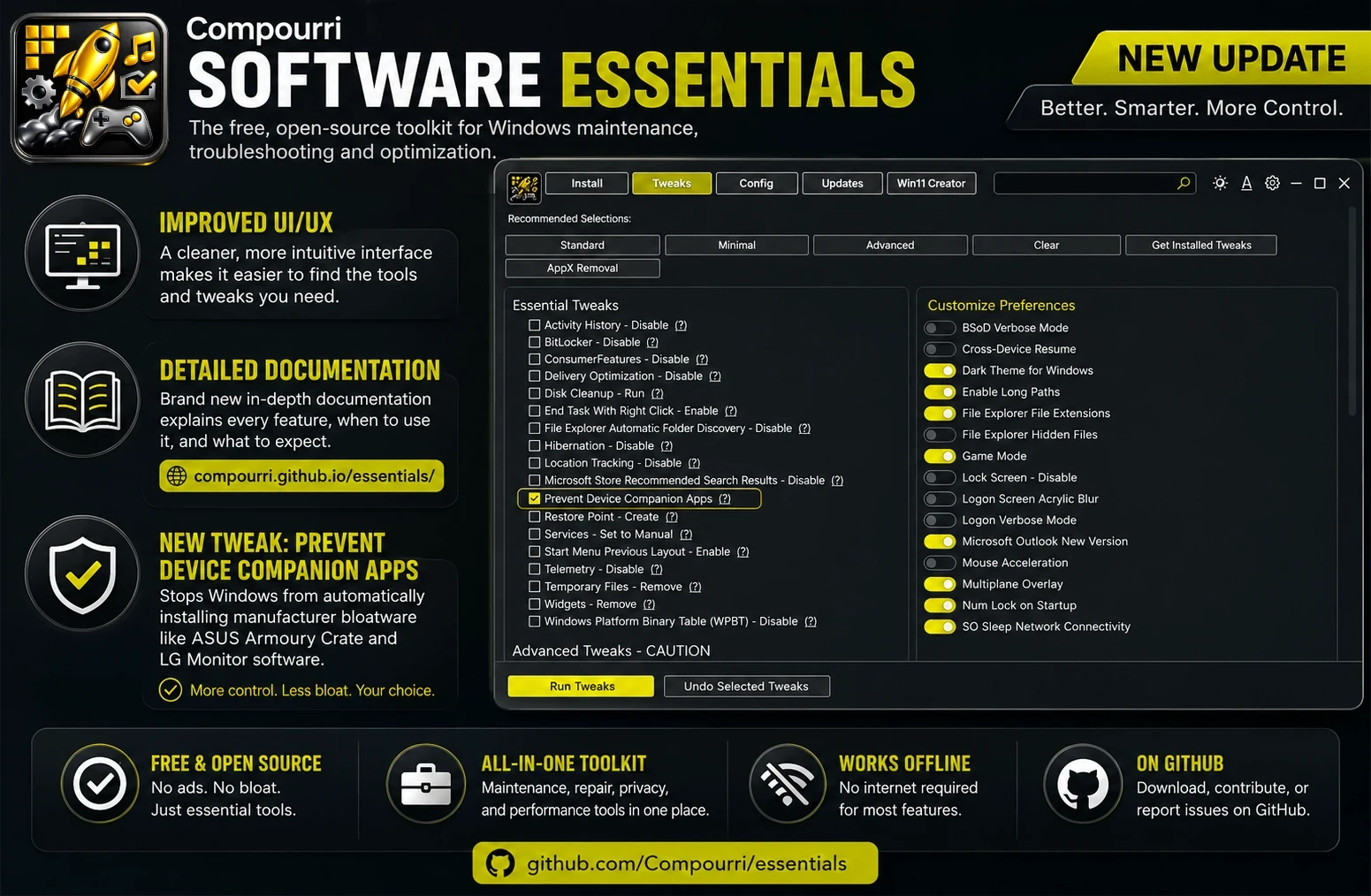
Compourri has released a new build of Software Essentials, the free, open-source Windows maintenance toolkit. The update adds interface improvements, new documentation, and a tweak that blocks unwanted manufacturer software.
A cleaner interface
The latest release includes several UI and UX changes that reduce the number of clicks needed to reach common tools and settings. The changes are subtle, but they add up to a smoother experience for both new and experienced users.
Full online documentation
Software Essentials now has a dedicated documentation site at compourri.github.io/essentials. The docs cover every section in the toolkit: what each feature does, when to use it, and what to watch out for before making changes.
The documentation reads like a guide rather than a button list. It explains the reasoning behind each option, which helps less experienced Windows users understand what they are changing and why, while giving technicians a quick reference.
New tweak: Prevent Device Companion Apps
A new tweak under Essential Tweaks stops Windows from automatically downloading companion software when you connect compatible hardware. Many manufacturers push utilities like ASUS Armoury Crate, LG monitor software, and other device-specific tools that run in the background and consume system resources without your input.
Enabling this tweak keeps you in control of what gets installed. You can still download these applications manually from the manufacturer's website if you need them.
Free and open source
Software Essentials remains free and open source. Anyone can inspect the source code, report issues, or contribute through GitHub.
The project collects Windows maintenance tools, troubleshooting utilities, and configuration tweaks in one place without unnecessary complexity.
Availability