
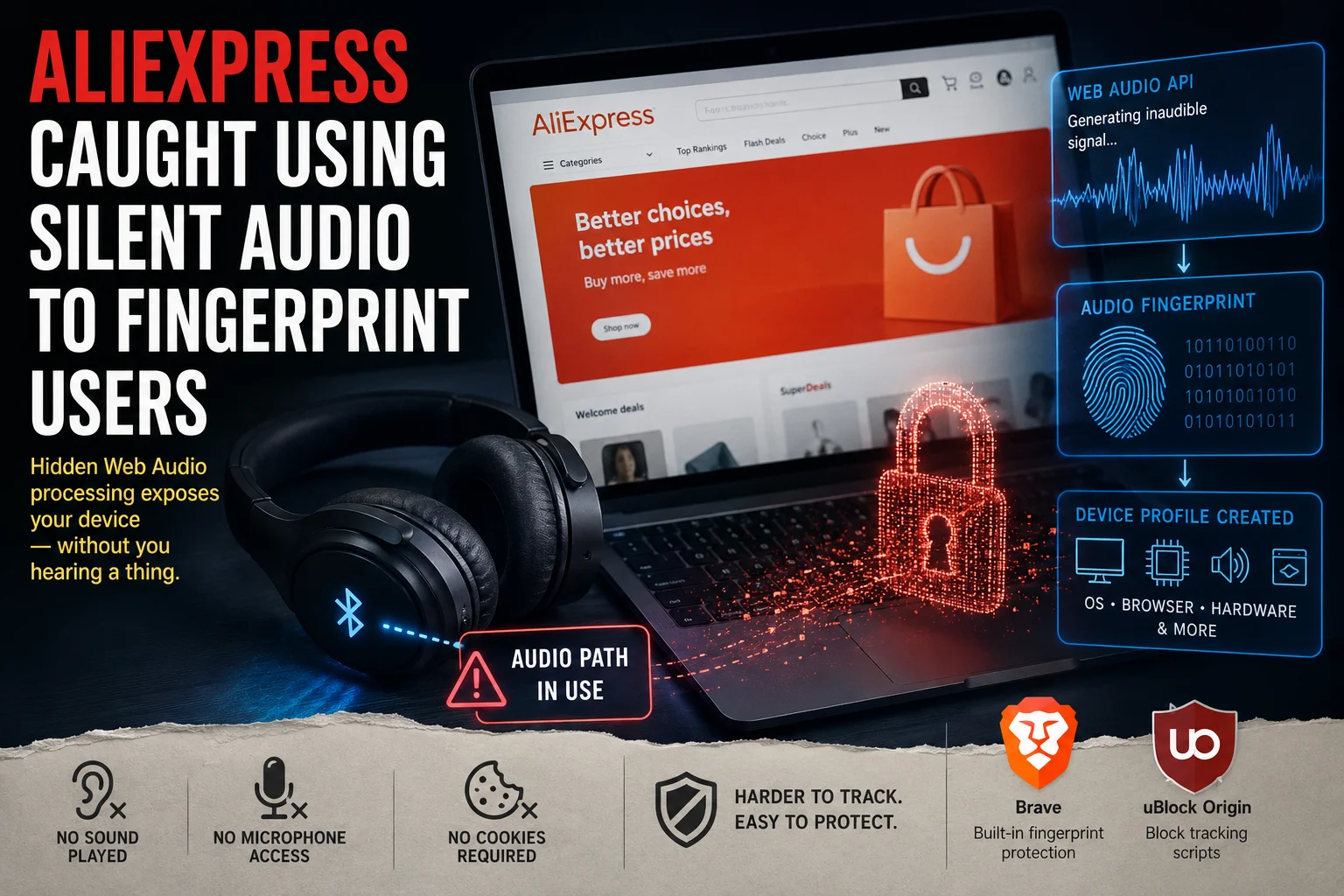
A developer investigating a Bluetooth headphone problem has uncovered what looks like a sophisticated device fingerprinting system on the AliExpress website.
The technique uses the Web Audio API inside the browser to generate and analyse an inaudible signal. The results combine with other device characteristics to build a browser and device fingerprint, all without cookies, visible tracking scripts, a microphone or audible sound.
A Bluetooth Problem Revealed Hidden Code
Matt Callaghan uses Bluetooth headphones with multipoint support, keeping them connected to both his PC and phone at the same time. When the PC plays nothing, audio from the phone comes through the headphones.
He noticed that opening AliExpress on his PC made the phone stop playing audio through the headphones. Closing the tab fixed it immediately. Muting the browser or Windows didn't help. There was no visible video, music player or media playing on the page.
That led Callaghan to investigate what the website was doing behind the scenes.
AliExpress Ran Silent Audio Through the Browser
The investigation uncovered two heavily obfuscated JavaScript files connected to Alibaba's browser security and anti-abuse systems. The scripts created Web Audio processing chains inside the browser.
One part generated a known waveform. Another part analysed how the browser processed it. The resulting data revealed tiny differences in how a particular combination of hardware, operating system, browser and processor handles audio calculations. The final audio gain was set to zero, so nothing was audible.
The browser was still processing the audio graph and connecting it to the system's audio output. That kept the computer's audio path active and interfered with Callaghan's multipoint Bluetooth headphones.
Firefox engineer Tom Ritter independently examined the code and confirmed that Alibaba was performing Web Audio fingerprinting.
What Browser Fingerprinting Collects
Browser fingerprinting identifies a device by combining numerous characteristics about its environment rather than relying on cookies. The investigation found evidence that AliExpress was collecting many of these alongside the Web Audio measurements:
- Screen resolution and viewport size
- Graphics hardware and WebGL characteristics
- CPU and available processing resources
- Device memory
- Browser capabilities and supported media formats
- WebRTC behaviour and browser performance
- Mouse and touch behaviour
- Device orientation and canvas rendering results
Each detail alone isn't particularly useful. Combined, they create a distinctive fingerprint that can identify a device across sessions.
The Bluetooth Headphones Were an Unintended Victim
AliExpress wasn't scanning nearby Bluetooth devices or stealing information from headphones. The website used the computer's audio processing system. That processing kept the audio path active, which happened to prevent Callaghan's multipoint headphones from switching cleanly back to his phone.
The Bluetooth behaviour made the invisible tracking technique noticeable. Without that side effect, most users would never have known the code was running.
How Effective Is the Fingerprint?
Modern browsers have taken steps to reduce the unique information websites can obtain through Web Audio. Firefox changed its implementation in version 118 to make results considerably more consistent between computers.
According to Ritter's analysis, 99.24% of Firefox users fell into just three Web Audio result groups, meaning the technique alone can't uniquely identify most Firefox users.
The Web Audio result can combine with dozens of other measurements to produce a far more useful overall fingerprint. Fingerprinting doesn't need to uniquely identify someone from a single measurement. The more information a website combines, the easier it becomes to distinguish one browser from another.
Why Would AliExpress Do This?
Large online marketplaces deal with automated bots, fraudulent accounts, payment fraud, fake orders and other forms of abuse. Alibaba's scripts appear connected to its anti-abuse and security infrastructure, meaning the fingerprinting could serve fraud detection rather than advertising.
The discovery does not prove that AliExpress uses the fingerprint to follow users across the internet or build advertising profiles. The browser-side code shows extensive fingerprint-like data being collected and transmitted, but how Alibaba uses, stores or correlates that information on its servers isn't visible from the website's JavaScript.
A shopping website silently running an audio-processing system connected to the computer's audio output goes well beyond what most users consider normal website behaviour.
The Real Problem Is Transparency
Fingerprinting is hard for users to see or control. There is no cookie banner warning that a website is about to analyse the way your computer processes audio. There is no media player. There is no audio indicator. Muting the browser didn't stop the processing because the page wasn't playing conventional media. The computer was doing work in the background.
Firefox Is Already Fighting Back
Firefox has spent years reducing the information websites can extract for fingerprinting. Mozilla's protections limit hardware characteristics, screen dimensions, fonts and other details that can combine into a persistent identifier.
Ritter's analysis suggests the Web Audio technique used by Alibaba is now considerably less effective in Firefox. Other browsers have implemented their own protections.
This isn't a case where AliExpress can simply obtain a unique hardware ID from every visitor. It's an example of websites continuing to probe the limits of what browsers allow them to measure.
What Users Can Do
This isn't a Bluetooth exploit, malware infection or indication that AliExpress gained control of your computer. The issue is privacy and aggressive browser fingerprinting.
- Use a browser with built-in fingerprinting protection. Brave includes protections designed to prevent websites from identifying users through browser and device characteristics.
- Keep your browser updated. Privacy protections improve with each version, and newer releases reduce the information available to fingerprinting scripts.
- Use content blockers. Extensions like uBlock Origin block known tracking scripts and unwanted third-party content.
- Avoid unnecessary browser permissions. Don't give websites access to your microphone, camera, location or other hardware unless they need it.
- Use separate browser profiles. Keeping shopping, banking and everyday browsing in separate profiles makes it harder for activity to link together.
Brave stands out for users who don't want to configure their browser extensively. Its fingerprinting protection is built in rather than requiring an extension or complicated setup. No browser can guarantee complete invisibility, but reducing the unique information exposed makes fingerprinting harder.
A Bluetooth Bug Exposed Something Users Weren't Supposed to Notice
A developer opened a shopping website. His phone stopped playing music. He closed the browser tab. The music came back. That Bluetooth problem led to the discovery of hidden Web Audio processing and a much larger fingerprinting system.
Modern browsers expose a huge number of APIs to websites, and companies combine those APIs in creative ways to identify and classify devices. A website doesn't need to access your files, activate your microphone or connect to your Bluetooth devices to learn about your computer. It only needs the browser to do exactly what it was designed to do.